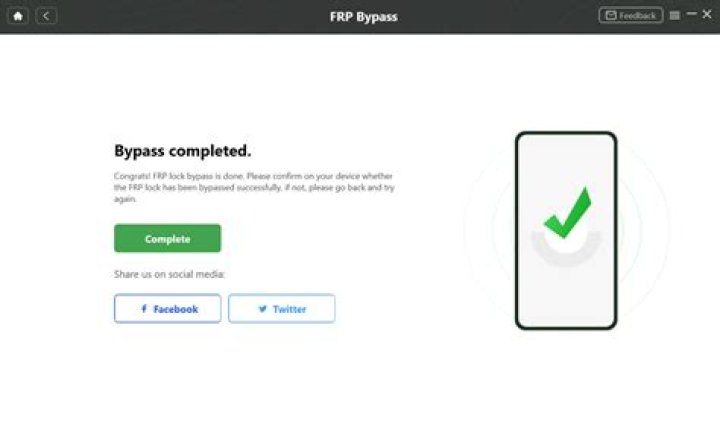
Is it possible to bypass FRP lock?
.
Also to know is, can you bypass Google lock?
Bypass Verification by Resetting the Device Go through the device reset process. When you reach the Google Account Verification screen, press the Back option to get back to the Wireless Network selection screen. Choose the three-dot menu in the upper right corner of the page and select Account.
Also, how do I bypass Gmail phone verification? Here are the steps which you need to follow in order to Gmail phone number verification bypass screen:
- Open the Settings menu on your phone.
- Scroll down to the Accounts section and click on the “Add Account” option.
- Select “Google Account” and then you will be redirected to the Gmail App Signup page.
Considering this, what is FRP bypass?
FRP bypass is the process of bypassing the Google Samsung account that was previously synced on the device. It is a really complicated process but I'll try my best to make it easy for you. To successfully FRP unlock your phone, you've to first understand what version of Android is running on your device.
How do I unlock my phone with Google?
How to Unlock Android Phone with Google Account
- Open Google Chrome browser, and sign in to your Google account.
- Locate "Security" section, and then select "Find a lost or stolen phone".
- From the list, select the lost or missing Android device.
- You will be given step by step instructions. Simply follow them to locate and secure your Android phone.
How do I skip WiFi after factory reset?
There is no way to Skip the WiFi setup if no SIM is used. Either insert a SIM that can connect to the Internet or provide a WiFi network with an Internet connection. Further on, the last used Account (name and password) must be provided during the Setup Wizard.How do you remove a Google account from an Android phone?
How to remove a Google account from an Android phone- Open your phone settings. Open your settings.
- Tap on "Accounts" (it may also be listed as "Users and Accounts," depending on your device). Pick the account you want to delete.
- Tap the account you want to remove and then click "Remove Account."
How can I unlock my Gmail account on my Android phone?
With Google account, just enter the Google account and password to unlock Google locked phone, it's easy. When we forgot phone password/pattern/pin, we have another method to unlock Android phone, click on Forgot Password on the screen, use the Google account to unlock locked Phone.Will rooting a phone bypass FRP?
If you have the doubts, then do remove the Google account before factory resetting it. No Google account means no FRP because in the absence of an existing account, it cannot ask you to login to an account which was used prior to the reset. Lastly, rooting or unrooting doesn't do anything to the FRP.Will flashing a phone remove FRP?
This is not true: while enabling OEM unlock allows someone to flash a different build of Android (or a custom ROM) that may not enforce factory reset protection (and thus making the phone usable to a thief), enabling this feature does not disable FRP by itself.Does factory reset remove password?
Go to "wipe data/factory reset", hit it. It will wipe all settings and data on the device. Then reboot your phone, the password will be removed. Once you perform the factory reset successfully, you'll be able to access your device without entering the lock password.Can Odin bypass FRP?
then here is the guide to ByPass FRP Google Account on any Samsung Galaxy powered Android Devices using ODIN flash tool. This works on any Android OS version 8.0, 7.0, 6.0]. Just in case you don't already know, the FRP stands for Factory Reset Protection which is a security measure by Google for the Android Devices.Can a Samsung phone be tracked after factory reset?
Unlike Apple's solution, Android Device Manager will be wiped after a factory reset — a thief can reset your device and you won't be able to track it down. Android Lost allows you to start tracking a device remotely, even if you never set up tracking software ahead of time.How do I bypass Android lock screen emergency calls?
Part 1. How to bypass Android lock screen using emergency call?- Turn on your device and tap on the “Emergency Call” button on the lock screen.
- This will open the dialer screen to make an emergency call.
- Enter a string of special symbols.
- Once you are done typing, double-tap it to highlight the string and copy it.
Why is my phone saying custom binary blocked by FRP?
So, when you get the message 'Custom binary blocked by FRP lock' it means you have flashed a unauthorized binary file to the phone and the phone is preventing itself to boot since it has detected the modified file(s). Note that in most cases you will need to downgrade the firmware on the phone back to Android 6.What is FRP lock Samsung?
FRP lock means Factory Reset Protection which is a new security feature on android phones. Once FRP is activated, it blocks use of your Galaxy smartphone after a factory data reset, till you log in using the same Google username and password you previously set up on it.How do I get out of factory binary s8?
S8 Google Play Store Services Are Disabled- Turn off the phone.
- Press and hold the Volume Up key and the Bixby key, then press and hold the Power key.
- When the Android logo displays, release all keys ('Installing system update' will show for about 30 – 60 seconds before showing the Android system recovery menu options).
How do I sign into Google account without phone verification?
Click on your profile photo in the upper-right side of your Gmail page, click the “My Account” button and then click “Signing into Google.” Enter your account password if asked, and click “2-Step Verification” on the next screen. On the 2-Step Verification page, you can create and print a set of backup codes.How do I unlock my phone if I forgot my Google account?
Reset your pattern (Android 4.4 or lower only)- After you've tried to unlock your phone multiple times, you'll see "Forgot pattern." Tap Forgot pattern.
- Enter the Google Account username and password you previously added to your phone.
- Reset your screen lock. Learn how to set a screen lock.
How do I bypass Google 2 step verification?
- Go to Sign in - Google Accounts and click on Security.
- Under 2-step verification section click on the "Settings" button.
- Now under the "Application-specific passwords" section select "Manage application -specific passwords" (you might be required to enter your password again for security purposes).
What happens if I lose my Google Authenticator device?
If you've lost your phone, you might be able to buy a new phone with the same phone number from your carrier or purchase a new SIM card. We recommend you use this option only if you cannot get into your account in any other way.How do I turn off two step verification without signing in?
Turn off 2-Step Verification- On your Android phone or tablet, open your device's Settings app Google. Google Account.
- At the top, tap Security.
- Under "Signing in to Google," tap 2-Step Verification. You might need to sign in.
- Tap Turn off.
- Confirm by tapping Turn off.
Can I make Google account without phone number?
Create a Gmail on Your Android or IOS Device If you have an Android or iPhone device, you can create a new Gmail account via the 'Settings' app. This way you can bypass Google asking you for your phone number. To do so, you have to: Go to the “Settings app” from the app menu.How do I get unlimited Gmail?
With this method You can create unlimited Gmail Accounts using Android devices without phone number.- First log out all Gmail Accounts from your android phone.
- Now, Go to Setting>Accounts>Google - You will see a button named create a new Google Gmail Account.
- Enter your First and Last Name.
- Select on Username.




